
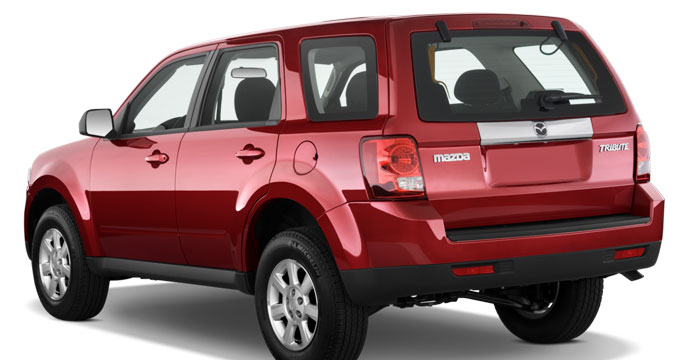
Mazda Tribute 2009 Owner’s Manual
Fuel gauge: Indicates approximately how much fuel is left in the fuel tank (when the ignition is in the on position). The fuel gauge may vary slightly when the vehicle is in motion or on a grade. The arrow near the fuel pump icon indicates which side of the vehicle the fuel filler door is located. Refer to Filling the tank in the Maintenance and Specifications chapter for more information.
Tachometer: Indicates the engine speed in revolutions per minute. Driving with your tachometer pointer continuously at the top of the scale may damage the engine.
Accessory delay: Your vehicle is equipped with accessory delay. With this feature, the radio and other electrical accessories may be used for up to ten minutes after the ignition is turned off or until either front door is opened.
How to Setting the clock
To set the time, press CLOCK. The display will read SET TIME. Use the memory preset numbers (0–9) to enter in the desired time–hours and minutes. The clock will then begin from that time.
To play your portable music player using the auxiliary input jack:
- Begin with the vehicle parked and the radio turned off.
- Ensure that the battery in your portable music player is new or fully charged and that the device is turned off.
- Attach one end of the audio extension cable to the headphone output of your player and the other end of the audio extension cable to the AIJ in your vehicle.
- Turn the radio on, using either a tuned FM station or a CD loaded into the system. Adjust the volume to a comfortable listening level.
- Turn the portable music player on and adjust the volume to 1/2 the volume.
- Press AUX on the vehicle radio repeatedly until LINE, LINE IN or SYNC LINE IN appears in the display. You should hear audio from your portable music player although it may be low.
Troubleshooting:
- Do not connect the audio input jack to a line level output. Line level outputs are intended for connection to a home stereo and are not compatible with the AIJ. The AIJ will only work correctly with devices that have a headphone output with a volume control.
- Do not set the portable music player’s volume level higher than is necessary to match the volume of the CD or FM radio in your audio system as this will cause distortion and will reduce sound quality. Many portable music players have different output levels, so not all players should be set at the same levels. Some players will sound best at full volume and others will need to be set at a lower volume.
- If the music sounds distorted at lower listening levels, turn the portable music player volume down. If the problems persists, replace or recharge the batteries in the portable music player.
- The portable music player must be controlled in the same manner when it is used with headphones as the AIJ does not provide control (play, pause, etc.) over the attached portable music player.
- For safety reasons, connecting or adjusting the settings on your portable music player should not be attempted while the vehicle is moving. Also, the portable music player should be stored in a secure location, such as the center console or the glove box, when the vehicle is in motion. The audio extension cable must be long enough to allow the portable music player to be safely stored while the vehicle is in motion.
Mazda Tribute user Manual
If you are burning your own MP3 discs, it is important to understand how the system will read the structures you create. While various files may be present, (files with extensions other than mp3), only files with the .mp3 extension will be played. Other files will be ignored by the system. This enables you to use the same MP3 disc for a variety of tasks on your work computer, home computer and your in vehicle system. mazda cx5,cx5 mazda,mazda 3,mazda miata,miata,mazda cx30,mazda dealer,mazda dealerships,mazda cx 9,mazda rx7,mazda cx 5 2020,,2020 mazda cx 5,2020 mazda cx-5,cx 5,mazda3,mazda3 sedan,mazda 3 sedan,mazda dealer usa,mazda dealerships location,mazda houston,mazda cx 9 dimensions,mazda cx 50,mazdacx50,mazdacx 5 redesign,2022 mazda cx 5,dealer mazda, mazda cx 9 car and driver,car and driver mazda cx 9, mazda 2022.
Related Manual
2008 Mazda Owner’s Manual
Mazda Owner’s Manual
Mazda Owner's service and Workshop Manuals
Mazda Owner’s Manual for 2021 - 2025 CX-30