
Ecobee3 lite Installation guide and wiring Diagrams
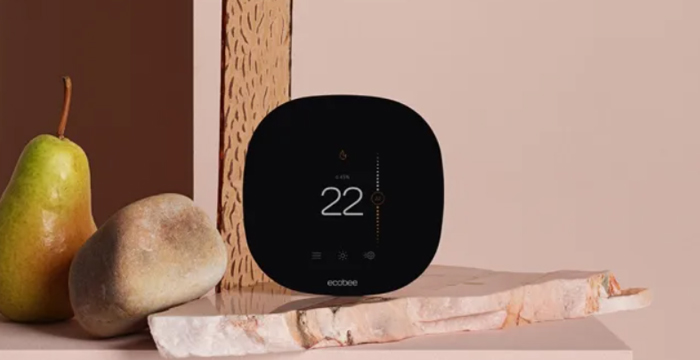
The Ecobee3 Lite is a specific model of smart thermostat offered by Ecobee. It's a more budget-friendly and streamlined version of Ecobee's smart thermostat lineup.
-
Temperature Control: Like other Ecobee models, the Ecobee3 Lite allows you to control and schedule your home's heating and cooling system remotely through a smartphone app or via voice commands when integrated with virtual assistants like Amazon Alexa or Google Assistant.
-
Energy Savings: It's designed to help you save energy and reduce your utility bills by optimizing heating and cooling based on your schedule and preferences.
-
Compatibility: The Ecobee3 Lite is compatible with most heating and cooling systems and can work with a wide range of HVAC equipment.
-
Smart Home Integration: It can be integrated into smart home ecosystems, allowing you to control it as part of a larger smart home setup.
-
Remote Sensors: You can use optional remote sensors to detect occupancy in different rooms, helping to ensure that the thermostat maintains a comfortable temperature in the rooms that matter most.
-
No Built-in Voice Control: Unlike some other Ecobee models, the Ecobee3 Lite doesn't have built-in voice control. Instead, it relies on external voice assistant devices for voice control.
How to install your ecobee3 lite
You have joined a growing community of people who want to conserve energy, save money and do something good for our planet. Let’s get started!
Guide 1 or Guide 2?
Start here to find out. The steps in this section will help you decide which install guide you’ll use to complete the installation.
STEP 1
Power off your Heating, Ventilation and Air Conditioning (HVAC) system by using the master switch or circuit breaker box. This is important for your safety.
STEP 2
Confirm your system is off by turning on your heat (during winter) or your AC (during summer). Wait a few minutes - you should not feel air coming from your vents.
STEP 3
Remove your old thermostat cover from the wall.
STEP 4
Take a picture of the wires connected to the terminals of your old thermostat. You may need to reference this photo later on.
Guides and manuals
| Installation guide | 💾⏳ |
Wiring diagrams
| Conventional heating/cooling | 💾⏳ |
| Heat pump with auxiliary heat | 💾⏳ |
| Boiler radiant system | 💾⏳ |
| Wiring with the Power Extender Kit | 💾⏳ |
Install your ecobee with a C wire
If you have a C wire, it will power your ecobee. You won’t need the Power Extender Kit included in the box.
STEP 5
Carefully disconnect and label the wires from your old thermostat one at a time, using the labels provided.
STEP 6
Unscrew the mounting plate of your old thermostat to remove it from the wall.
STEP 7
Decide if you want to use the trim plate with your ecobee. The trim plate is useful if you want to hide marks or holes left on the wall by your old thermostat.
STEP 8: OPTIONAL
If using the trim plate, align the mounting holes on the trim plate and backplate and press them into place together.
STEP 9
Pull the wires through the hole in theBmiddle of the backplate and then attach the backplate to the wall using the drywall anchors and screws provided.
STEP 10
Insert your remaining wires into the side (not the front) of their corresponding terminal blocks.
STEP 11
Tug on the wires gently to ensure they are securely connected.
STEP 12
Carefully push any excess wire back into the hole and ensure there are no drafts coming from the hole(s) in the wall.
STEP 13
Gently press your ecobee thermostat into the backplate until it ‘clicks’ into place.
STEP 14
Turn the power to your HVAC system back on using the master switch or at the circuit breaker box.
STEP 15
Say hi to your new ecobee! The screen will power on and guide you through the set-up and registration.
ALL DONE
Congratulations, you did it!
To complete your set-up, follow the instructions on your ecobee screen.
Related Manual
Ecobee Smart Plug Instruction Manual
Ecobee Zigbee Module (ZDM) manual
Ecobee SmartSensor installation guide
Ecobee Switch+ installation guide